Chapter 7: Buzzer
Table of Contents
| Link | Purpose |
|---|---|
| 7. Chapter Buzzer | Freenove’s official C version – Chapter 7 Buzzer |
| Chapter 7 Buzzer - Starter Kit for Pico | Freenove’s official video description |
| Alire crate | Alire crate containing the Ada code in this chapter |
| GNATdoc documentation for this chapter | Automatically generated HTML documentation for the Ada code in this chapter |
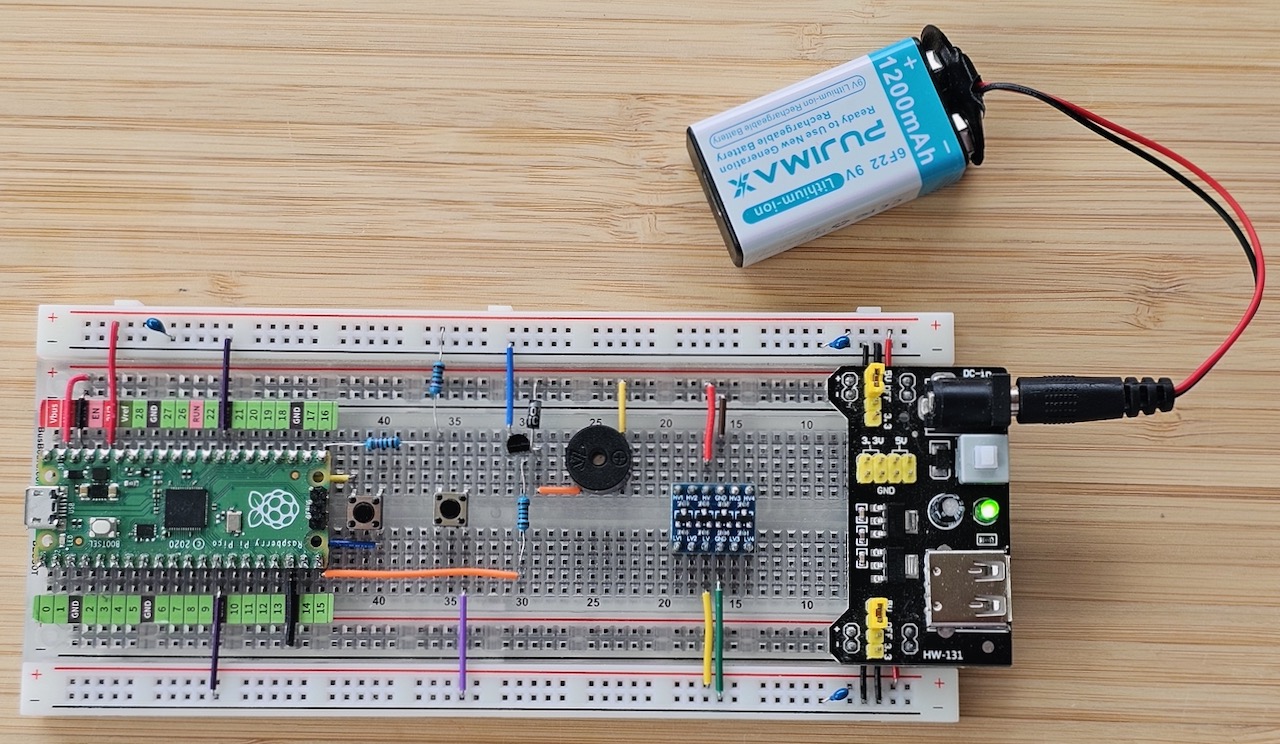
The buzzer chapter looks simple at first glance — a little more hardware-focused because we now need a transistor for amplification and a flyback diode for the inductive load. A direct port of the original C code is straightforward, but we can do much better with Ada and the RP2040’s PWM peripheral.
sketch_07_1_doorbell.adb #
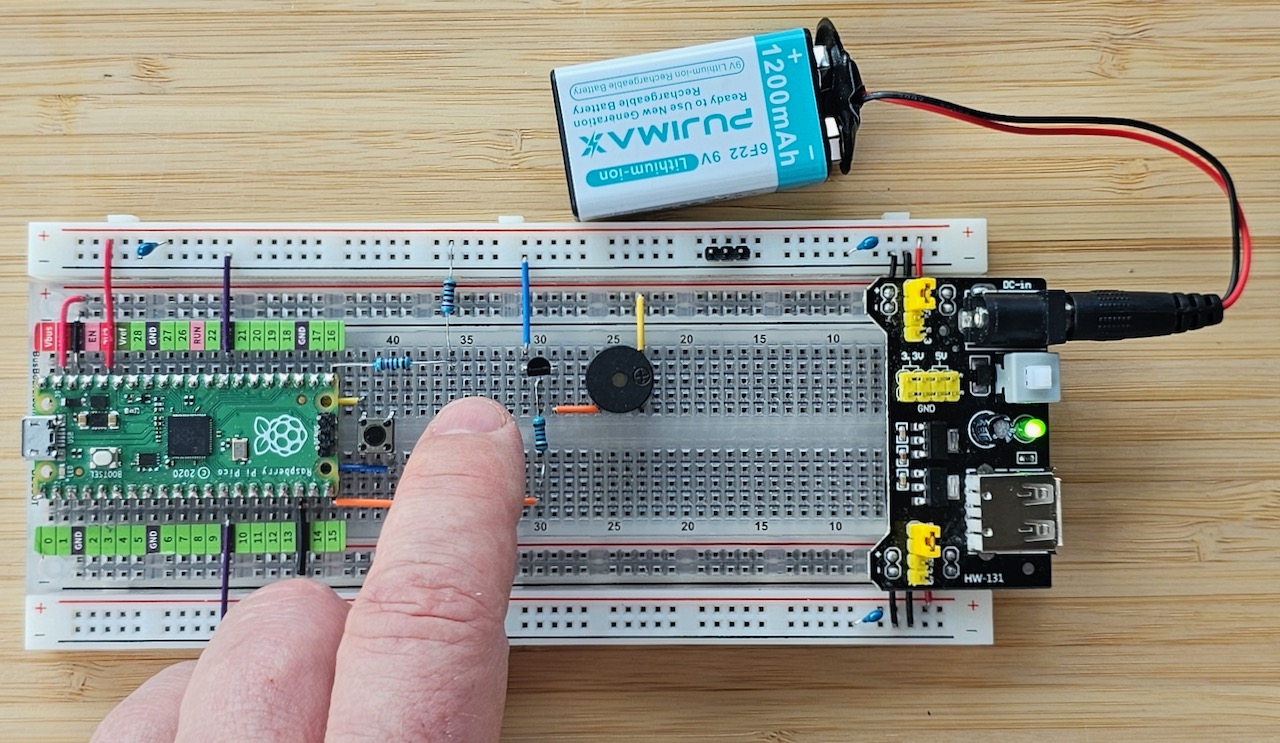
The doorbell sample is almost identical to one of the earlier LED examples. We simply wait for the button press and drive the active buzzer.
with Pico;
with RP.GPIO;
with Pico.UART_IO;

---
--  Buzzer doorbell sample from Chapter 7.1 of the Freenove C tutorial
--
procedure Sketch_07_1_Doorbell with
   No_Return
is
   pragma Debug (Pico.UART_IO.Initialise);
   pragma Debug (Pico.UART_IO.Put_Line ("+ Sketch_07_1_Doorbell"));

   Pin_Buzzer : RP.GPIO.GPIO_Point renames Pico.GP15;
   Pin_Button : RP.GPIO.GPIO_Point renames Pico.GP16;
begin
   pragma Debug (Pico.UART_IO.Put_Line ("> Initialising"));
   Pin_Buzzer.Configure (RP.GPIO.Output);
   Pin_Button.Configure (RP.GPIO.Input);
   Pin_Buzzer.Clear;

   pragma Debug (Pico.UART_IO.Put_Line ("> Starting main loop"));
   loop
      --  Pressed button is low (false).
      if Pin_Button.Get then
         --  Clear / switch off when button is high
         Pin_Buzzer.Clear;
      else
         --  Set / switch on when button is low
         Pin_Buzzer.Set;
      end if;

      --  Never busy-wait in a tight loop
      delay 0.02;
   end loop;
end Sketch_07_1_Doorbell;
sketch_07_2_alert #
The passive buzzer must be driven with a square wave. The original C sample uses simple bit-banging. I replaced the magic numbers with named constants for better readability.
with Ada.Numerics.Elementary_Functions;
with Pico.UART_IO;
with Pico;
with RP.GPIO;

---
--  Buzzer alert sample from Chapter 7.2 of the Freenove C tutorial
--
procedure Sketch_07_2_Alert with
   No_Return
is
   package Math renames Ada.Numerics.Elementary_Functions;

   pragma Debug (Pico.UART_IO.Initialise);
   pragma Debug (Pico.UART_IO.Put_Line ("+ Sketch_07_2_Alert"));

   Pin_Buzzer      : RP.GPIO.GPIO_Point renames Pico.GP15;
   Pin_Button      : RP.GPIO.GPIO_Point renames Pico.GP16;
   Base_Frequency  : constant := 2_000.0;
   Delta_Frequency : constant := 500.0;
   Tone_Length     : constant := 10;

   procedure Play_Tone
      (Pin       : in out RP.GPIO.GPIO_Point;
       Frequency :        RP.Hertz;
       Times     :        Integer)
   is
      pragma Debug
         (Pico.UART_IO.Put_Line ("+ Play_Tone (Freq => " & Frequency'Image & ", Times => " & Times'Image & ")"));
   begin
      if Frequency = 0 then
         Pin.Clear;
      else
         declare
            Half_Period : constant Duration := Duration (1.0 / Duration (Frequency)) / 2.0;
         begin
            pragma Debug (Pico.UART_IO.Put_Line ("> Half_Period => " & Half_Period'Image));
            pragma Debug
               (Pico.UART_IO.Put_Line ("> Length      => " & Duration'Image (2 * Half_Period * Tone_Length)));

            for I in 0 .. Times * Frequency / 1_000 loop
               Pin.Set;
               delay Half_Period;
               Pin.Clear;
               delay Half_Period;
            end loop;
         end;
      end if;

      pragma Debug (Pico.UART_IO.Put_Line ("- Play_Tone"));
   end Play_Tone;

   procedure Alert is
      pragma Debug (Pico.UART_IO.Put_Line ("+ Alert"));

      Sin_Value  : Float    := 0.0;
      Tone_Value : RP.Hertz := 0;
      X          : Natural  := 0;
   begin
      while X < 360 loop
         Sin_Value  := Math.Sin (Float (X), 360.0);
         Tone_Value := RP.Hertz (Base_Frequency + Sin_Value * Delta_Frequency);

         Play_Tone
            (Pin       => Pin_Buzzer,
             Frequency => Tone_Value,
             Times     => Tone_Length);

         X := @ + 10;
      end loop;

      pragma Debug (Pico.UART_IO.Put_Line ("- Alert"));
   end Alert;

begin
   pragma Debug (Pico.UART_IO.Put_Line ("> Initialising"));
   Pin_Buzzer.Configure (RP.GPIO.Output);
   Pin_Button.Configure (RP.GPIO.Input, RP.GPIO.Pull_Up);
   Pin_Buzzer.Clear;

   pragma Debug (Pico.UART_IO.Put_Line ("> Starting main loop"));
   loop
      if Pin_Button.Get then
         Pin_Buzzer.Clear;
      else
         Alert;
      end if;
   end loop;
end Sketch_07_2_Alert;
Bit-banging works, but the tone length varies noticeably because of rounding errors and the limited number of cycles. We can do better.
pwm_alert #
Let’s drive the passive buzzer properly with PWM. For audio we keep the duty cycle at 50 % and vary the frequency by changing the PWM divider and period.
Understanding the PWM Divider #
The RP2040 PWM divider is an 8.4 fixed-point value. Ada’s strong typing lets us express this cleanly:
Divider_Fraction : constant := 1.0 / (2.0 ** 4);
type Divider is delta Divider_Fraction range 1.0 .. (2.0 ** 8);
The maximum divider is 256 which is mapped to 0 at the hardware level. The Set_Divider procedure takes care of that.
The question which sprung to my mind was: A fixed point, how unusual. But it becomes clear when you compare a division by 2 and 3. For a system clock of \( 125 × 10^6 Hz \) , an integer divider restricted to n=2 and n=3 yields:
\[ f_2 = \frac{125 \times 10^6}{2} = 62.5 \text{ MHz} \qquad \text{vs} \qquad f_3 = \frac{125 \times 10^6}{3} \approx 41.67 \text{ MHz} \]The resulting difference is an unacceptable step size:
\[ \Delta f = f_2 - f_3 \approx 20.83 \text{ MHz} \]By employing an 8.4 fractional divider, the PIO can step by increments as small as ¹/₁₆ (0.0625), providing the fine resolution required for accurate communication baud rates or in our case audio output:
\[ f_{2.0625} = \frac{125 \times 10^6}{2 \tfrac{1}{16}} \approx 60.61 \text{ MHz} \qquad \Delta f = f_2 - f_{2.0625} \approx 1.89 \text{ MHz} \]Of course the minimum frequency we can archive here is still to high for audio use:
\[ f_{minimum} = \frac{125 \times 10^6}{255 \tfrac{15}{16}} \approx 488 \text{ kHz} \]Using the Period to get to the final frequency. #
The 2nd „divider“ is called period because it’s not only a divider but also does double duty with the duty cycle. It’s a 16 bit integer and to archive maximum resolution for the duty cycle you want to the Period as close to \( 2^{16} - 1 \) a as possible.
I wrote helper procedures Frequency_To_PWM and Pico.Tone.Output (now part of my evolving pico_xbsp library) so the
final program becomes delightfully short and precise.
Alert with PWM #
pragma License (Modified_Gpl);
pragma Ada_2022;
pragma Extensions_Allowed (On);

with Ada.Numerics.Elementary_Functions;
with Ada.Real_Time;
with Pico.Tone;
with Pico.UART_IO;
with RP.GPIO;
with RP.PWM;

---
--  Improved alert from Chapter 7.2 using PWM and Ada.Real_Time for jitter-free tones.
--
procedure PWM_Alert with
   No_Return
is
   use type Ada.Real_Time.Time_Span;
   use type Ada.Real_Time.Time;

   package Math renames Ada.Numerics.Elementary_Functions;

   pragma Debug (Pico.UART_IO.Initialise);
   pragma Debug (Pico.UART_IO.Put_Line ("+ PWM_Alert"));

   Pin_Button      : RP.GPIO.GPIO_Point renames Pico.GP16;
   Pin_Buzzer      : RP.GPIO.GPIO_Point renames Pico.GP15;
   PWM_Buzzer      : constant RP.PWM.PWM_Point := RP.PWM.To_PWM (Pin_Buzzer);
   Base_Frequency  : constant Float            := 2_000.0;
   Delta_Frequency : constant Float            := 500.0;
   Tone_Length     : constant Duration         := 0.005;
   Next            : Ada.Real_Time.Time        := Ada.Real_Time.Clock;

   procedure Play_Tone
      (Pin       : in RP.PWM.PWM_Point;
       Frequency : in RP.Hertz;
       Length    : in Duration) with
      Pre => Frequency = 0 or else Frequency in 8 .. 62_500_000
   is
      pragma Debug
         (Pico.UART_IO.Put_Line
             ("+ Play_Tone (Frequency => " & Frequency'Image & ", Length => " & Length'Image & ")"));
   begin
      Pico.Tone.Output (Pin, Frequency);

      Next := @ + Ada.Real_Time.To_Time_Span (Length);
      delay until Next;

      pragma Debug (Pico.UART_IO.Put_Line ("- Play_Tone"));
   end Play_Tone;

   procedure Alert is
      pragma Debug (Pico.UART_IO.Put_Line ("+ Alert"));

      Sin_Value  : Float    := 0.0;
      Tone_Value : RP.Hertz := 0;
      X          : Natural  := 0;
   begin
      while X < 360 loop
         Sin_Value  := Math.Sin (Float (X), 360.0);
         Tone_Value := RP.Hertz (Base_Frequency + Sin_Value * Delta_Frequency);

         Play_Tone
            (Pin       => PWM_Buzzer,
             Frequency => Tone_Value,
             Length    => Tone_Length);

         X := @ + 10;
      end loop;

      pragma Debug (Pico.UART_IO.Put_Line ("- Alert"));
   end Alert;

begin
   pragma Debug (Pico.UART_IO.Put_Line ("> Initialising"));
   RP.PWM.Initialize;
   Pin_Buzzer.Configure (RP.GPIO.Output, RP.GPIO.Floating, RP.GPIO.PWM);

   pragma Debug (Pico.UART_IO.Put_Line ("> Starting main loop"));
   loop
      if Pin_Button.Get then
         --  Frequency 0 means silence.
         Play_Tone (PWM_Buzzer, 0, Tone_Length);
      else
         Alert;
      end if;
   end loop;
end PWM_Alert;
The result is rock-solid timing with no audible jitter. You can clearly hear the improvement.
Hardware #
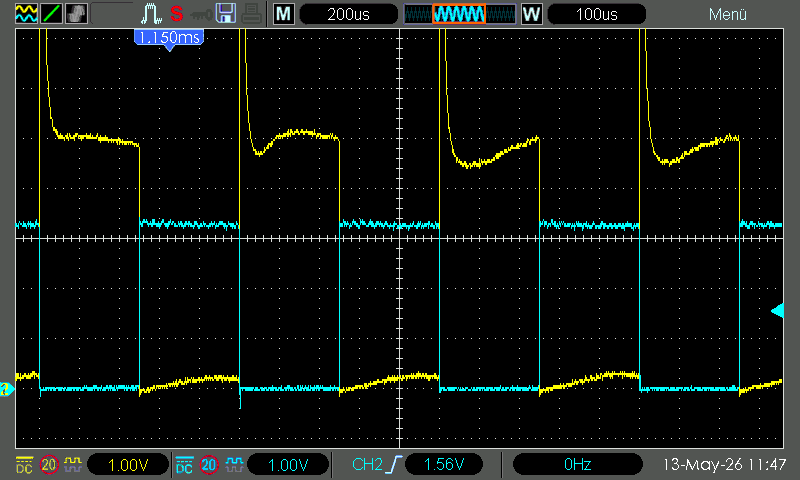
While checking the signal with the oscilloscope I noticed huge voltage spikes — up to 50 V.
The buzzer is an inductive load, so I added a flyback diode in parallel. Problem solved.
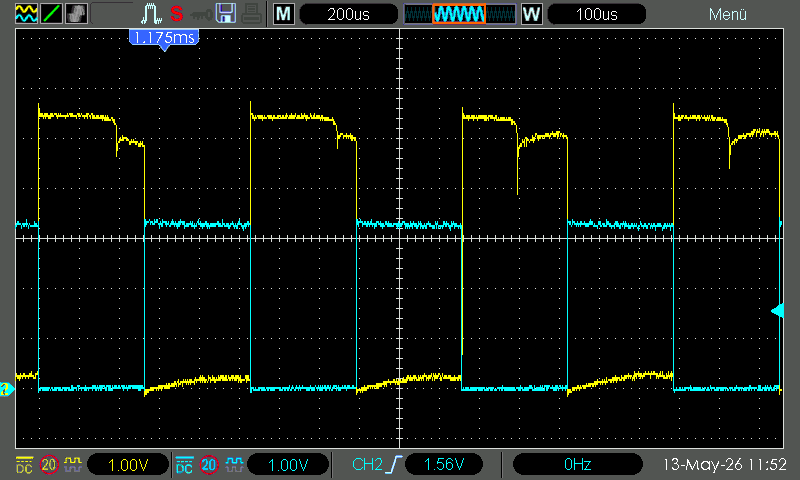
A cheap handheld 50 MHz oscilloscope is a worthwhile investment for Pico work. And even my 100MHz desktop oscilloscope wasn’t all that expensive.
Final thoughts #
I learned a great deal about PWM on the RP2040 and have several improvements queued for pico_xbsp. I am also
considering renaming packages to Pico.PWM.Analog and Pico.PWM.Tone for better organisation. My NeoPixel ring is
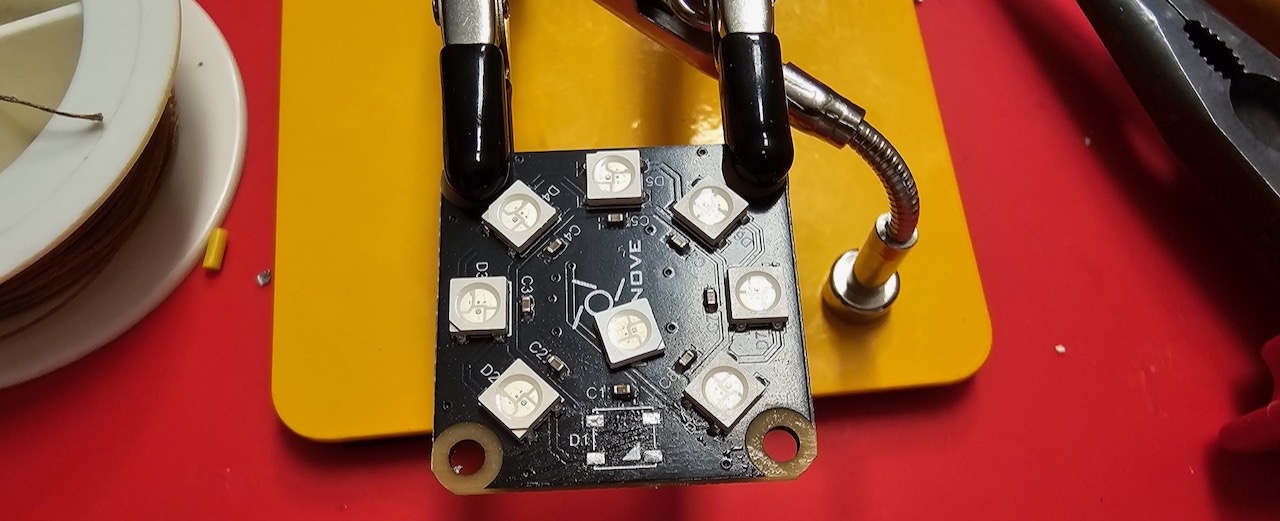
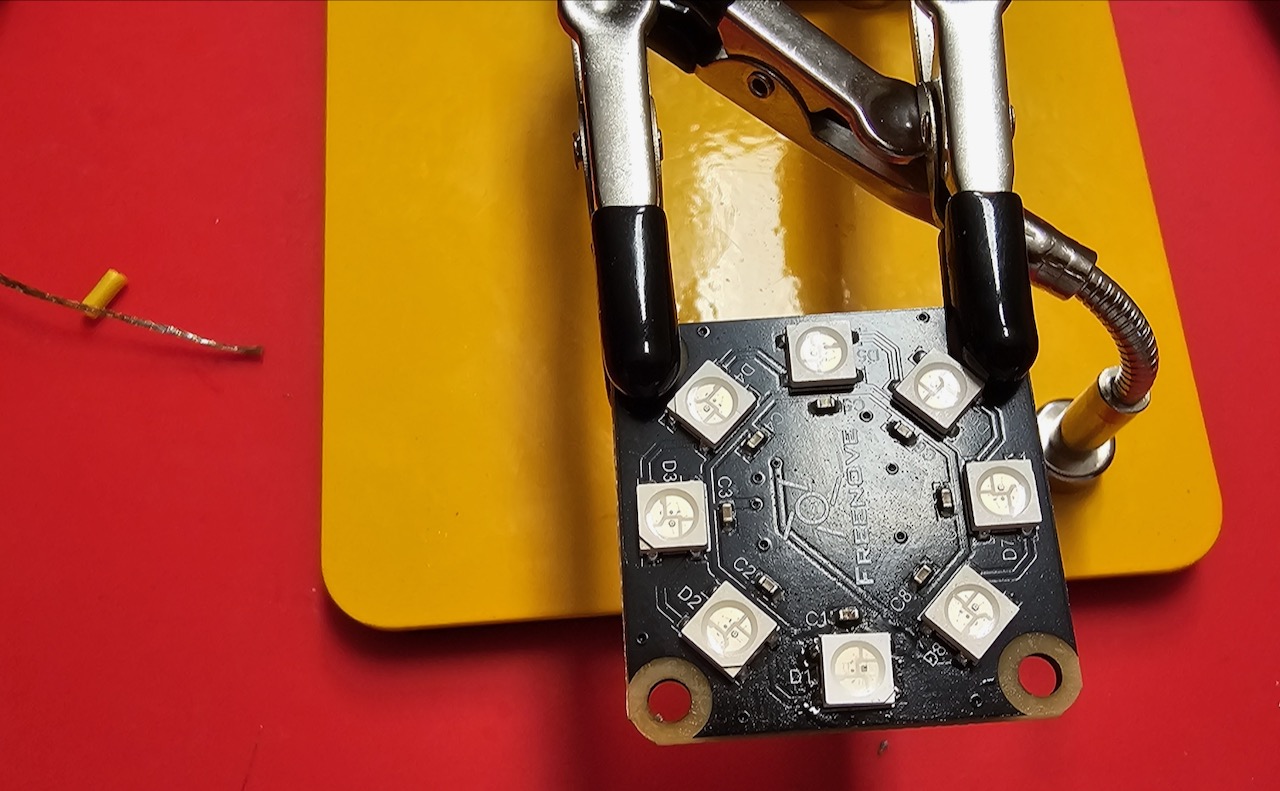
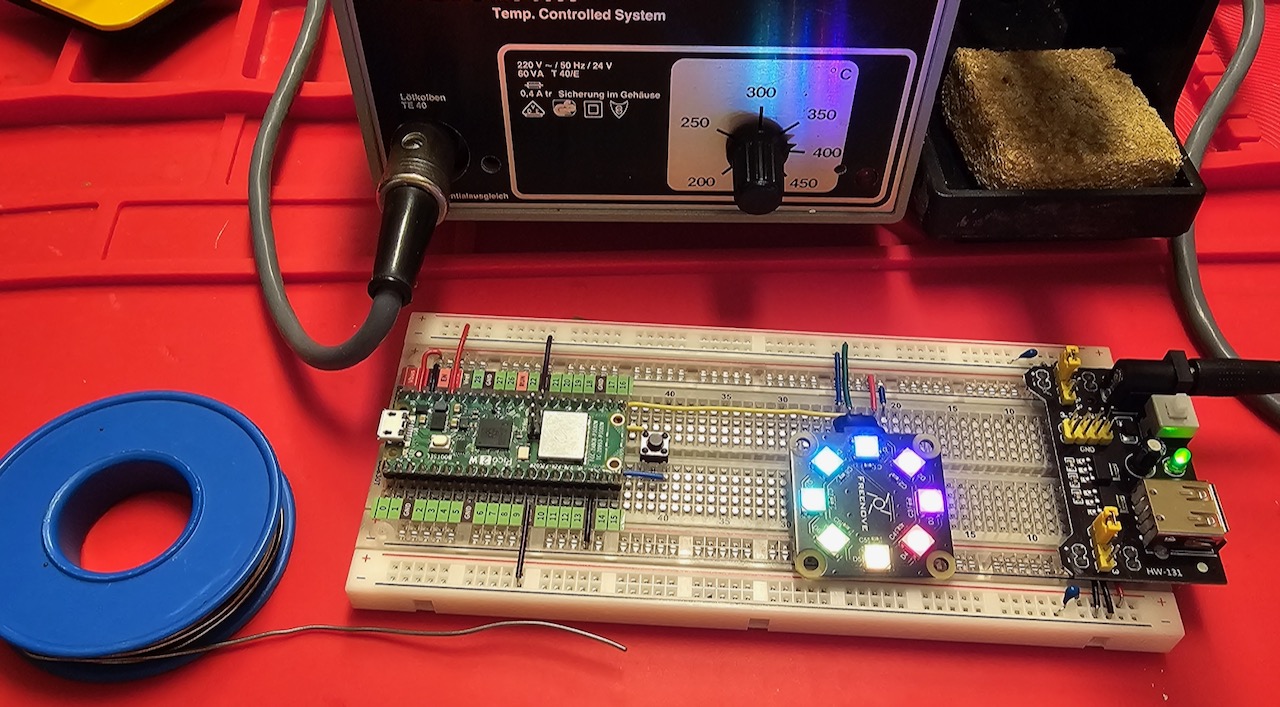
repaired too — perfect timing to experiment with Ada tasking for combined buzzer and light shows.
Next chapter: serial I/O. We already have Pico.UART_IO, but we can also do USB CDC for those without a debug probe.